開源新作:Clipboard Vault Sync — 複製即存,剪貼簿自動同步到 Obsidian
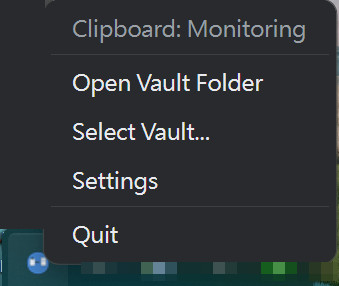
複製即存,永久保留。我開源了一個 Windows 系統匣小工具:Clipboard Vault Sync——它監看你的剪貼簿,把你複製的所有東西(文字和圖片)自動存進 Obsidian vault,變成一則一則帶時間戳的 Markdown 筆記。
為什麼不用 Obsidian 外掛就好?
因為外掛只有在 Obsidian 開著的時候才能收集。這個工具常駐系統匣,整天默默工作——你白天到處複製資料,晚上打開 vault,筆記已經整整齊齊躺在那裡了。
特色
- 📋 自動收集——每次複製自動存成一則筆記(每筆一檔,檔名含日期時間)
- 🖼️ 圖片也收——截圖自動轉 AVIF 格式省空間,筆記內直接顯示
- 🧠 去重——同樣的內容永遠只存一次,連重開機都記得
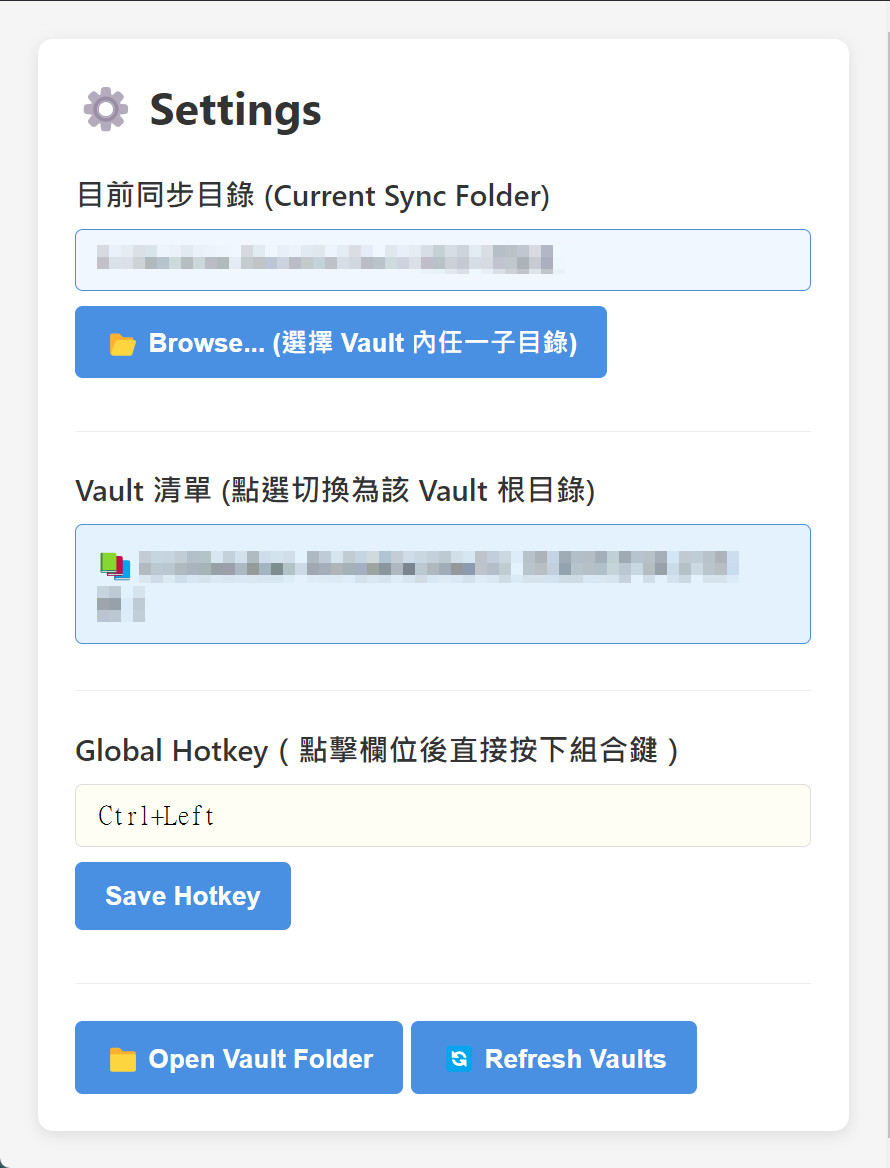
- 📁 彈性目標——可同步到 vault 內任何子資料夾(例如你的 inbox)
- ⌨️ 全域快捷鍵——設定視窗點一下欄位、按下組合鍵就完成錄製
- 🔒 100% 本地——無網路連線、無遙測,程式碼全開源(MIT),歡迎查驗
誠實提醒
它會存下你複製的所有東西——包括密碼等敏感文字。複製機密前請先從系統匣退出程式,或事後刪掉那則筆記。暫停開關與敏感內容過濾已在開發路線圖上。
下載
到 GitHub Releases 下載免安裝的 portable exe(約 88 MB,雙擊即用)或安裝檔。目前支援 Windows;程式碼用的都是跨平台 API,macOS/Linux 理論可跑,歡迎回報。
English
Copy anything, keep it forever. I open-sourced Clipboard Vault Sync — a Windows system-tray app that watches your clipboard and saves everything you copy (text and images) straight into your Obsidian vault as timestamped Markdown notes.
Why not just use an Obsidian plugin? Because plugins only capture while Obsidian is running. This sits in your tray capturing all day — your notes are just there next time you open the vault.
- 📋 Auto-capture — every copy becomes a note (one file per entry)
- 🖼️ Images too — screenshots auto-converted to AVIF
- 🧠 Dedup — the same content is never saved twice, even across restarts
- 📁 Sync to any folder inside your vault
- ⌨️ Global hotkey with press-to-record picker
- 🔒 100% local — no network, no telemetry. MIT licensed.
Honest caveat: it saves everything you copy, including passwords — quit it from the tray before copying secrets. A pause toggle and pattern filtering are on the roadmap.
Downloads (portable exe, ~88 MB) and source: github.com/fifthadj/clipboard-vault-sync
📦 2026-07-04 更新:v0.1.1 發佈
- 🖼️ 圖片轉存修復——改用內附 avifenc(libavif)轉 AVIF;轉檔失敗自動退存 PNG,圖片絕不丟失
- 🔔 存檔提示——每存一筆跳出通知;按熱鍵時內容重複或剪貼簿為空也會告知,不再猜有沒有存到
- 🔁 連續收集模式開關——系統匣一勾:開=複製即自動存(預設),關=只有按熱鍵才存。原「誠實提醒」裡承諾的暫停開關,這版兌現了
- 🌐 多語系介面——繁體中文/English,預設跟隨系統語言,設定內即時切換
- 📉 瘦身——安裝檔 88 MB → 76 MB
⬇️ 下載:GitHub Release v0.1.1
Update (v0.1.1)
- 🖼️ Image capture actually works now — AVIF via bundled avifenc (libavif), with PNG fallback so images are never lost
- 🔔 Save feedback — a toast confirms every save; the hotkey also reports duplicate/empty clipboard
- 🔁 Continuous-capture toggle in the tray (the pause switch promised on the roadmap — delivered)
- 🌐 Multilingual UI — English / Traditional Chinese, follows your system language
- 📉 Installer slimmed from 88 MB to 76 MB
⬇️ Download: GitHub Release v0.1.1
留言